



Download the App & Start Learning
- Expert Faculty Guidance
- Updated Study Material
- Mock Tests & Practice Quiz
- Live Doubt Solving Sessions
- Exam-Oriented Preparation
- Motivation & Success Strategy
Katara Academy

9/1/2026
SSC CHSL 2026 Admit Card Guide
The SSC CHSL Admit Card 2026 is one of the most important documents required to appear for the Staff Selection Commission Combined Higher Secondary Level (SSC CHSL) examination. Candidates who successfully complete the application process can download their admit card from the official SSC website once it is released. Without a valid admit card and an original photo identity proof, candidates will not be allowed to enter the examination centre. :contentReference[oaicite:0]{index=0}
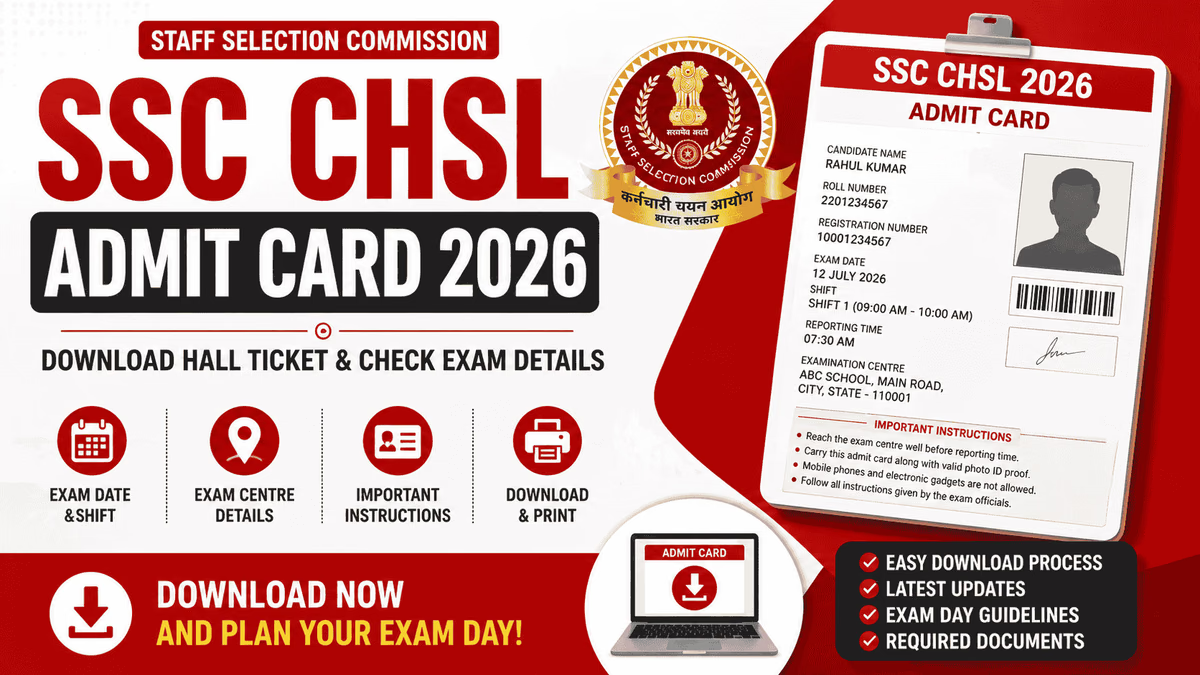
The admit card contains essential details such as the candidate's name, roll number, registration number, exam date, shift timing, reporting time, examination centre address, photograph, signature, and important exam-day instructions. Candidates should carefully verify all the information immediately after downloading the hall ticket and report any discrepancy to the concerned SSC regional office. :contentReference[oaicite:1]{index=1}
This complete guide explains the SSC CHSL Admit Card 2026 release date, download process, required login credentials, details mentioned on the admit card, important documents to carry, exam-day guidelines, and frequently asked questions to help candidates avoid last-minute issues.
Quick Summary
SSC releases the CHSL admit card online through its official website and regional portals a few days before the examination. Candidates can download it using their Registration Number/Roll Number and Password or Date of Birth. Always carry a printed admit card along with a valid original photo ID to the examination centre. :contentReference[oaicite:2]{index=2}
| Particular | Details |
|---|---|
| Exam Name | SSC Combined Higher Secondary Level (CHSL) |
| Conducting Authority | Staff Selection Commission (SSC) |
| Document | SSC CHSL Admit Card / Hall Ticket |
| Mode of Release | Online |
| Official Website | ssc.gov.in |
| Required Login Details | Registration Number/Roll Number & Password or Date of Birth |
| Required at Exam Centre | Printed Admit Card & Original Photo ID Proof |
The SSC CHSL admit card serves as the official permission letter for appearing in the examination. It verifies the candidate's identity and provides complete information regarding the examination schedule and venue. Candidates should download the admit card well before the exam date to avoid technical issues at the last moment.
After downloading the admit card, candidates should carefully verify every detail printed on it. If any information is incorrect, they should immediately contact the concerned SSC regional office for correction before the examination. :contentReference[oaicite:3]{index=3}
The Staff Selection Commission (SSC) releases the SSC CHSL Admit Card online through its official website and regional portals. Candidates should download the admit card as soon as it becomes available to verify all details and avoid last-minute technical issues.
Candidates must carry the printed SSC CHSL Admit Card along with a valid original photo identity proof to the examination centre. Without these documents, entry to the examination hall may be denied.
| Document | Requirement |
|---|---|
| Printed SSC CHSL Admit Card | Mandatory |
| Aadhaar Card | Valid Photo ID |
| PAN Card | Accepted Photo ID |
| Passport | Accepted Photo ID |
| Voter ID Card | Accepted Photo ID |
| Driving Licence | Accepted Photo ID |
| Passport-size Photographs | Recommended for Verification (if required) |
Candidates should carefully follow all instructions mentioned on the admit card. Reaching the examination centre on time and carrying all required documents ensures a smooth verification process before the examination begins.
Some candidates may face technical issues while downloading their admit card due to incorrect login details, heavy website traffic, or browser-related problems. Most of these issues can be resolved by following a few simple steps.
The Staff Selection Commission generally releases the SSC CHSL Admit Card a few days before the Tier 1 examination. Before the admit card is issued, SSC publishes the Application Status and Exam City Intimation, allowing candidates to check their exam city, date, and shift in advance.
| Event | Expected Timeline |
|---|---|
| Application Status Release | 7–10 Days Before Exam |
| Exam City Intimation | 5–7 Days Before Exam |
| SSC CHSL Admit Card Release | 3–7 Days Before Exam |
| SSC CHSL Tier 1 Exam | As Per Official Schedule |
SSC releases the CHSL Admit Card through its regional websites. Candidates must download their admit card from the regional portal corresponding to the examination centre selected during the application process.
| SSC Region | States/UT Covered |
|---|---|
| Northern Region (NR) | Delhi, Rajasthan & Uttarakhand |
| Central Region (CR) | Uttar Pradesh & Bihar |
| Western Region (WR) | Maharashtra, Gujarat & Goa |
| Eastern Region (ER) | West Bengal, Odisha, Jharkhand & Sikkim |
| Southern Region (SR) | Tamil Nadu, Andhra Pradesh, Telangana & Puducherry |
| North Western Region (NWR) | Punjab, Haryana, Himachal Pradesh, Jammu & Kashmir and Chandigarh |
| North Eastern Region (NER) | Assam, Arunachal Pradesh, Manipur, Meghalaya, Mizoram, Nagaland & Tripura |
| Karnataka Kerala Region (KKR) | Karnataka, Kerala & Lakshadweep |
| Madhya Pradesh Region (MPR) | Madhya Pradesh & Chhattisgarh |
Downloading the admit card is only the first step. Candidates should carefully verify all details and prepare all required documents well before the examination day to avoid unnecessary stress.
Candidates often lose valuable time because they ignore important instructions printed on the admit card. Following these simple guidelines can help ensure a smooth examination experience.
Candidates should carefully verify all the details printed on the SSC CHSL Admit Card immediately after downloading it. If any information such as the candidate's name, photograph, signature, date of birth, category, or examination centre is incorrect, the issue should be reported to the concerned SSC Regional Office without delay. Ignoring errors may lead to problems during document verification or even denial of entry to the examination centre.
SSC follows strict examination guidelines to maintain fairness and security during the recruitment process. Candidates should carry only the permitted items and avoid bringing prohibited articles to the examination centre.
| Allowed Items | Prohibited Items |
|---|---|
| Printed Admit Card | Mobile Phones |
| Original Photo ID Proof | Smart Watches |
| Passport-size Photograph (if required) | Bluetooth Devices |
| Transparent Water Bottle (if permitted) | Calculators |
| Required Medical Items (if approved) | Books, Notes & Study Material |
| Face Mask (if applicable) | Electronic Gadgets & USB Devices |
Proper planning before the examination can help candidates avoid unnecessary stress. Reaching the examination centre on time with all required documents allows candidates to complete the verification process smoothly and focus entirely on the examination.
Many candidates face avoidable problems simply because they overlook basic instructions. Following a few practical precautions before the examination can help ensure a smooth and stress-free experience on exam day.
The SSC CHSL Admit Card 2026 is an essential document that every candidate must carry to the examination centre. It serves as official proof of eligibility to appear in the examination and contains important information such as the exam date, shift timing, reporting time, examination centre, and candidate details. Candidates should download the admit card as soon as it is released and verify all the information carefully.
Before the examination, keep multiple printed copies of the admit card along with a valid original photo identity proof. Reach the examination centre well before the reporting time, follow all SSC instructions, and avoid carrying prohibited items. Proper planning before the exam day helps ensure a smooth verification process and allows candidates to focus entirely on their performance.
Stay updated by regularly visiting the official SSC website for the latest announcements regarding the application status, exam city, admit card release, and examination schedule. Being prepared in advance will help you avoid unnecessary stress and confidently appear for the SSC CHSL examination.
The SSC CHSL Admit Card is generally released a few days before the examination. Candidates should regularly check the official SSC website and their respective regional websites for the latest updates.
You can download the admit card by visiting the official SSC website or your regional SSC portal and logging in using your Registration Number/Roll Number and Password or Date of Birth.
Candidates must carry a printed admit card along with a valid original photo identity proof such as Aadhaar Card, PAN Card, Passport, Voter ID, or Driving Licence.
If you find any incorrect information on your admit card, immediately contact the concerned SSC Regional Office for correction before the examination.
No. Candidates are generally required to carry a printed copy of the admit card. A digital copy on a mobile phone is not accepted for entry into the examination centre.
You can use the "Forgot Registration Number" or "Retrieve Registration Details" option available on the SSC or regional website, or refer to your application confirmation details.
Yes. Candidates should keep the admit card safely until the entire SSC CHSL recruitment process, including document verification and final selection, is completed.
Join Katara Academy for complete preparation for SSC CHSL, SSC CGL, MTS, CPO, Railway, Banking, Defence, and other government examinations. Get expert faculty guidance, live and recorded classes, comprehensive study material, previous year papers, full-length mock tests, doubt-solving sessions, performance analysis, interview guidance, and personalized mentorship to maximize your chances of success in the SSC CHSL examination.